
Wireshark
Open source network protocol analyser that captures packets from a network interface and shows them in detail, step by step.
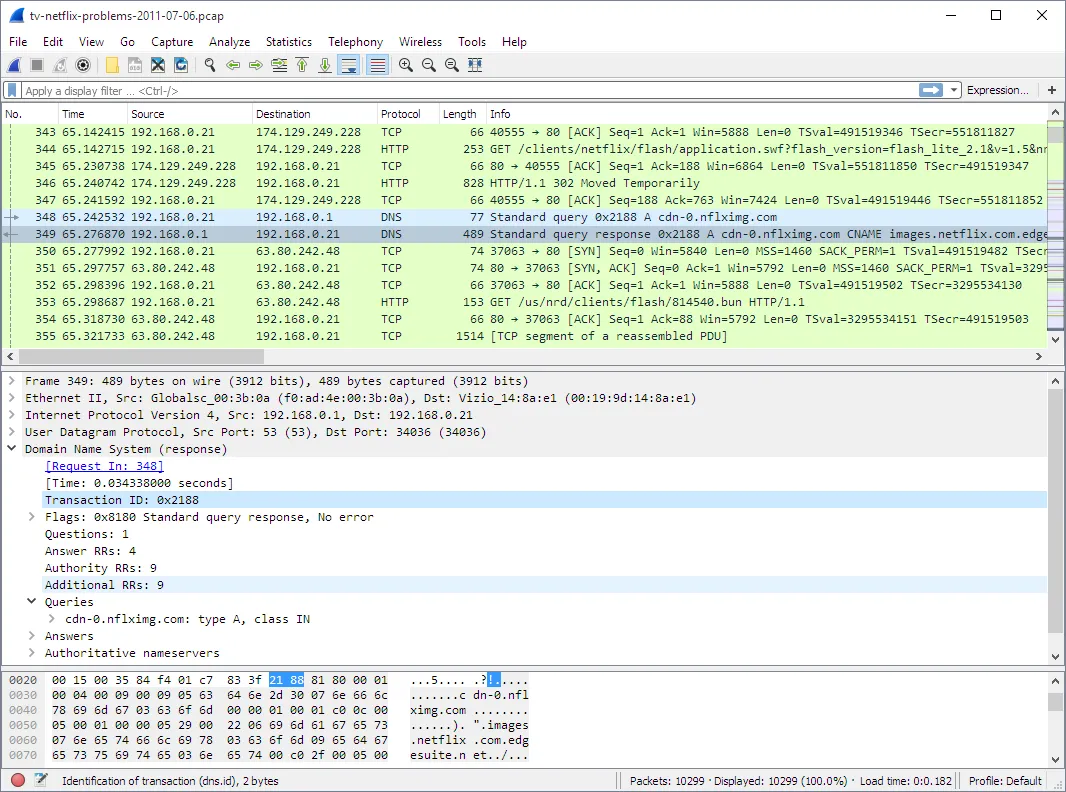
What it does
- Live capture from a network interface, or opening a saved capture file
- Display filters that narrow thousands of packets to the ones you need
- Decoding for hundreds of protocols, including DNS, DHCP, HTTP and SMB
- Follow a TCP stream to read a whole conversation in order
- Statistics and expert information about retransmissions and errors
Wireshark shows the packets that travel across a network, decoded layer by layer. When a user says “the share is slow” or “the app cannot connect”, Wireshark shows what the computer sent, what came back, and where the exchange stopped.
Who it is for
It suits an administrator who has already checked the obvious: DNS, the firewall rule, the account and the event log, and still does not know where the problem lies. It is a diagnostic tool, not a monitoring system.
First capture
- Install Wireshark and Npcap, and run Wireshark as an administrator for the first capture.
- Choose the network interface that carries the traffic, the one with the IP address you expect.
- Start a short capture, reproduce the problem once, and stop the capture.
- Apply a display filter, such as the address of the server or dns, to see only the packets you need.
Read the result
- Look for repeated SYN packets with no answer: the path is blocked or the server is not listening.
- Look for retransmissions: packets are lost or delayed on the way.
- Use Follow TCP stream to read the whole exchange, including any error text the application sent.
The filters and steps for the common cases are in the guides below.
Common tasks
Questions and answers
Do I need to install anything extra on Windows?
Yes. Capturing on Windows needs the Npcap driver. The Wireshark installer offers to install it, and installing it needs administrator rights.
Can Wireshark read HTTPS content?
Not by default. Encrypted content can be decrypted only when you have the session keys, for example from a key log file that the browser writes. Use that only on test systems you are allowed to examine.
Is it allowed to capture traffic on a company network?
Only with written permission from the network owner and within your company policy. Captures can contain passwords and personal data, so store them carefully and delete them when the task is done.
Guides that use Wireshark
- Capture Network Traffic Legally and ResponsiblyThe permission, scope and storage rules administrators should follow before capturing packets on a company network with Wireshark.
- Capture Network Traffic With Wireshark on WindowsHow to install Npcap, pick the right interface and record a short Wireshark capture that shows a network problem without collecting more than needed.
- Check DNS and DHCP Problems With WiresharkHow to see failed DNS lookups and missing DHCP leases in a Wireshark capture, and what each pattern usually means for a Windows network.
- Diagnose a Slow File Share With WiresharkHow to tell whether a slow Windows file share is a network, server or client problem, using a short Wireshark capture and a few targeted filters.
- Filter a Wireshark Capture to Find One ProblemPractical Wireshark display filters for DNS errors, failed TCP connections, retransmissions and one server, to find the packets that matter.